The AI reads the receipt. The maths is mine.
Two days ago I shipped VibePantry, which photographs your pantry and suggests dinner. Yesterday I built its little sister. Same bones, less fun subject: receipts.
VibeExpenses turns a shoebox of receipts into a file your accountant or your manager will accept. Snap a receipt, check what it read, and at the end of the month, export a claim.
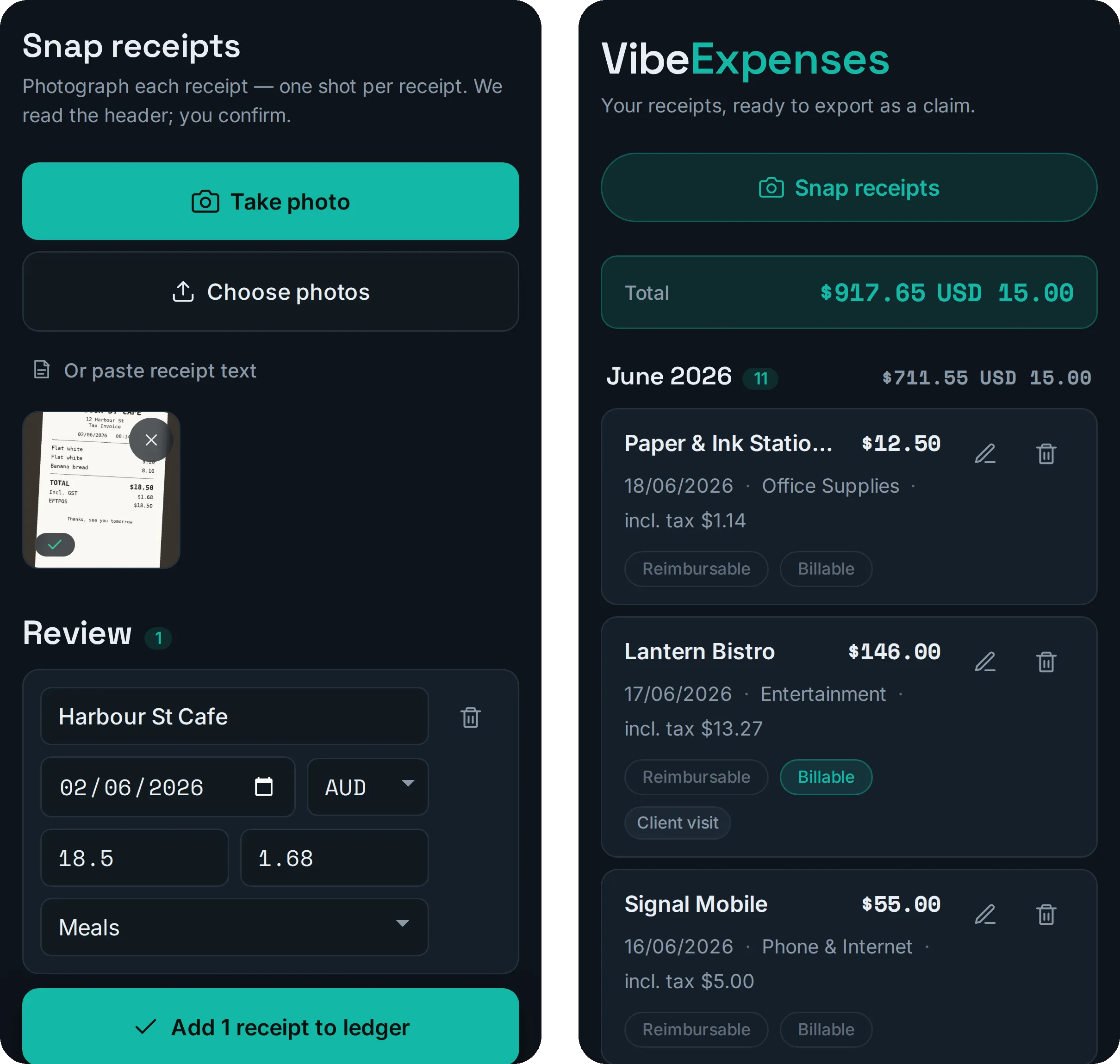
Snap, confirm, done. Every receipt here is made up, including the café’s banana bread, which is a shame.
Same bones as VibePantry
The sister app gets the family traits:
- No server. Receipts, ledger and settings live in your browser, and never anywhere else.
- Bring your own Anthropic key, stored on your device and sent only to Anthropic. For a pantry app, no server is a nice-to-have. For your financial records, it’s the whole pitch.
- Same Cloudflare deploy, same landing page, same magic link so family can skip the key setup.
Because the skeleton already existed, the day went on the parts that are actually about expenses. The whole thing is eleven commits, landing page included.
Claude reads the receipt
Each photo gets one call. Claude Sonnet reads the header (merchant, date, total, GST, currency, category) and hands back a strict JSON shape with a confidence rating.
The rules are fussy about dates, on purpose. If it can’t read the date, it leaves it blank rather than inventing one. If the year isn’t printed, it can assume this year, but then it’s not allowed to claim high confidence.
Nothing goes into the ledger until you confirm it. A low-confidence row is fine; you fix it in two seconds. A confidently wrong date sitting in your expense claim is not.
The maths is mine
The Insights screen answers “where did it all go?”: totals by category, top merchants, and how this month compares with the last one. Every one of those numbers is plain JavaScript, worked out on your phone, with unit tests. Claude is not invited.
It does get one small job: at most two sentences of colour over the finished numbers, written by Claude Haiku. And its brief is mostly a list of things it isn’t allowed to do:
- no advice, no budgeting tips, no forecasts
- no tax, GST, deductibility or BAS talk, thank you very much
- never state a number it wasn’t given, and never add across currencies
It even receives the figures as ready-formatted strings like “$189.00”, so it can’t quietly re-round one. If the call fails, or you haven’t set a key, the card still shows every figure. You just miss out on the commentary.
I’ll happily trust a language model to read a crumpled café receipt. I won’t let one add them up for the ATO.
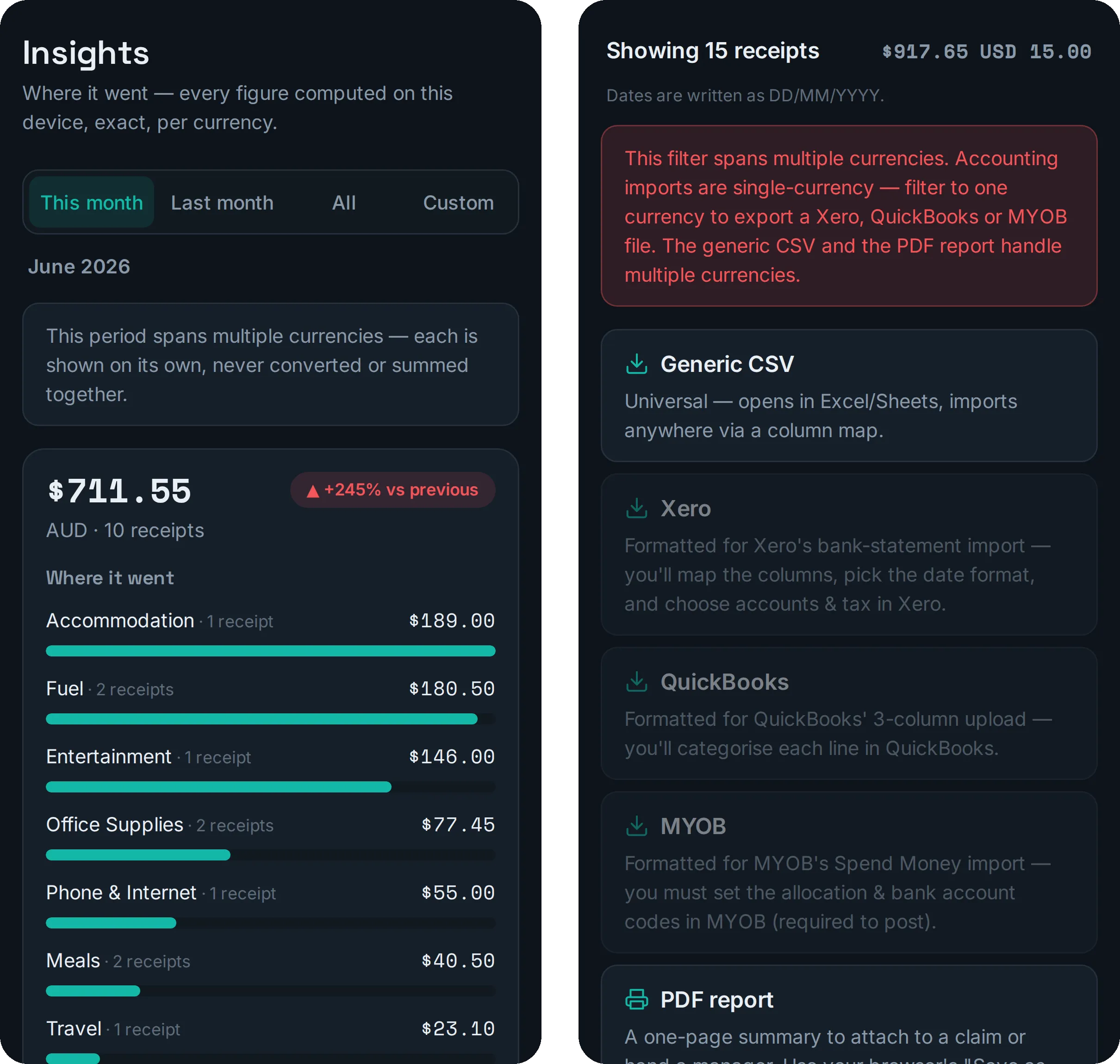
Left: every figure computed on the phone, one currency at a time. Right: the export screen, being upfront about what accounting imports can and can’t do.
Currencies don’t add up
Put a US$15 software subscription next to $711 of Australian receipts, and the lazy version shows you a total of $726.55. That number means nothing. So VibeExpenses keeps each currency on its own, and never converts or sums across them.
Exports that don’t oversell
Accounting imports never “just work”, and I didn’t want the app pretending they do. So there are three kinds of export:
- a generic CSV that opens anywhere
- Xero, QuickBooks and MYOB files: the same data rearranged so their import wizards map it in with about one click. You still choose accounts and tax codes during the import, because those live in your books, not on a receipt.
- a one-page PDF report to attach to a claim or hand to a manager
Accounting imports are single-currency, so if your filter spans two currencies, the Xero, QuickBooks and MYOB options switch off, with a note explaining why. The CSV and the PDF don’t mind.
The small stuff
- Reimbursable, billable and project tags, so an export can be just the receipts you’re actually claiming.
- Dates in DD/MM/YYYY by default, because I live here.
- Open the link inside Instagram, Facebook, TikTok or seven other apps’ built-in browsers, and it politely asks you to open it in a real one. Those in-app browsers are tight on memory and flaky, which is bad news for anything that uses the camera.
Where it is
It’s live at vibeexpenses.com. Bring your own key, keep your own data.
The second app in the family took a day because the first one had already paid for the skeleton. That’s the underrated part of building like this: the first app is the expensive one. After that, you’re mostly deciding what the new one is about.